
Home Up
Screenshots
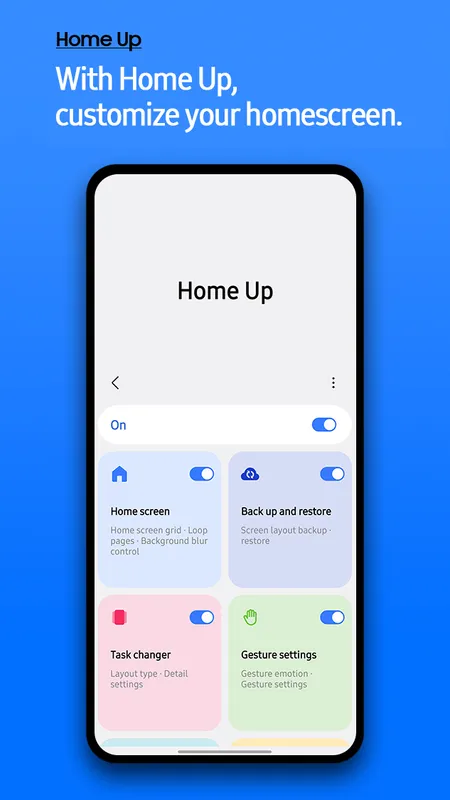
Home Up is a powerful customization tool that lets you redesign your smartphone interface. Many users want absolute control over their home screens and layout designs. Standard software often limits how you organize your mobile workspace. This specific system tool solves that issue completely. It works as a specialized module within the larger Samsung Good Lock ecosystem. By using this tool, you can break free from rigid default templates. You can change grids, modify folder styles, and alter transition behaviors easily.
Navigating your phone becomes much more enjoyable when the layout fits your exact needs. This piece explores how the tool improves your daily mobile interaction. We will look at its core features, layout choices, and installation steps.
What Is Home Up and How Does It Work?
Home Up operates as an official plugin designed to enhance the default One UI desktop experience. It integrates deeply with your system software to offer advanced design choices. Then, it unlocks hidden settings that are normally unavailable in standard configurations. You can adjust the density of your home screen grid beyond standard limits. For example, you can set massive grids to fit more data on a single page.
The tool alters how your device handles folders, pop-ups, and background blurring effects. It gives you direct control over your recent apps screen through layout variations. Instead of the standard horizontal list, you can choose grid or stack formations. This adjustments make multi-tasking much faster and smoother for daily workflows.
Advanced Layout Tuning with Home Up
The primary appeal of Home Up involves its extensive layout modification settings. You can easily alter the exact number of rows and columns on your desktop. This means you can create compact designs or sprawling information layouts. The tool lets you adjust the background blur level when you open folders. Therefore, you can keep your wallpaper visible or hide it completely.
Key Layout Adjustments Include:
- Grid Size Expansion: Increase or decrease your home screen and apps drawer grid size up to 7×7 boundaries.
- Favorite Max Count: Add more favorite shortcuts to the bottom dock of your home screen layout.
- Loop Pages: Enable continuous scrolling through your apps pages without hitting a hard wall.
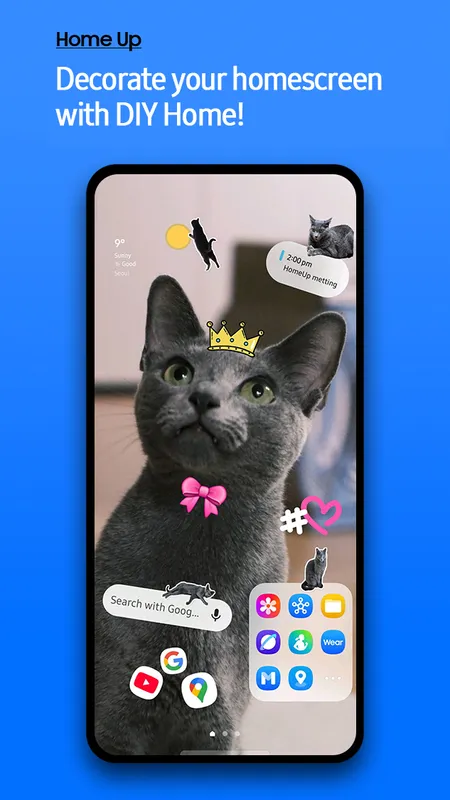
- Sticker Overlays: Hide system shortcuts beneath custom decorative designs for a clean look.
Transforming Folders with Home Up
Folders usually look identical across most modern smartphone software setups. However, Home Up changes this dynamic by letting you customize folder behavior radically. You can switch from full-screen folder views to small, elegant pop-up windows. This prevents the folder from taking over your entire screen when opened.
You can also customize the background colors and transparency levels of each folder. Then, you can adjust the corner curvature radius to match your aesthetic theme. The tool even offers unique folder opening animations. These small visual changes make the interface feel incredibly premium and responsive.
Better Task Switching with Home Up
The recent apps screen is a surface you interact with dozens of times daily. Home Up replaces the stock scrolling list with highly functional layouts. You can choose a Grid layout to see multiple active windows simultaneously. Alternatively, you can pick a Stack layout for a smooth, layered visual effect.
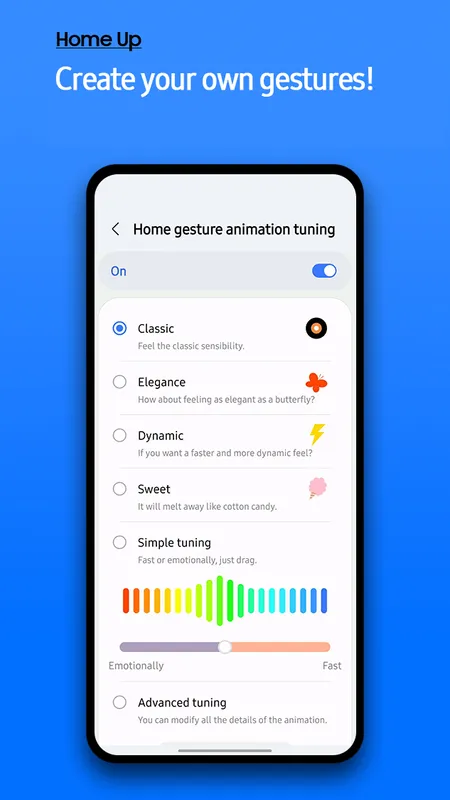
The tool includes an advanced tuning section for gesture animations. You can modify the speed, friction, and vibration feedback of home gestures. This ensures that returning to your home screen feels instant and fluid. You can even hide app labels in the recent screen to achieve a cleaner look.
Simple Setup Guide
Getting started with Home Up requires a few specific steps since it relies on a host platform. First, you must download the official Good Lock platform from the Galaxy Store. Then, you open that platform to find the available system modules. Locate the specific layout tool within the list and trigger the download.
Once installed, the module activates a toggle menu inside the main system customization interface. You can turn features on or off individually without changing other device behaviors. This modular approach ensures your system remains lightweight and secure. If you ever dislike a layout change, you can reset it instantly.
Conclusion
Home Up provides unparalleled design freedom for individuals who love personalizing their mobile space. It tackles the strict limits of stock software layouts by offering granular adjustments. You can rebuild your home grid, alter folder styles, and revamp task switching completely. Transitioning between screens becomes a smooth, tailor-made visual experience. By utilizing this module, your phone shifts from a generic layout to a highly personalized workstation. It proves that minor interface adjustments can massively upgrade your daily digital workflow.







